

Building a Collaborative Project Culture with Modern Communication Tools

February 18, 2025

Projects won't get done if your team can't communicate. The right software makes collaboration a breeze.


Few things can infuriate a manager more than a project that fails due to a simple workplace miscommunication. One misstatement or missed memo can derail weeks of work and cause headaches for your entire staff.


In fact, a Project.co study found that 43% of surveyed workers experienced burnout, stress, and fatigue due to communication problems.


No successful business has the time or resources to waste on simple misunderstandings. Our quick guide offers quick tips for streamlining communication within your company and encouraging more productive collaboration. It also explains how SuiteX project management features can help your staff work as a more cohesive team, keeping each other updated on tasks and creating open lines of communication for projects.


Read through the guide, and then schedule a free team assessment or SuiteX feature tour today. You’ll discover how to eliminate communication missteps and create a better, faster, and more successful team.


Key Takeaways


  1. Psychological Safety is Non-Negotiable: Just as a house needs a solid foundation, teams need psychological safety—an environment where people can take risks, ask questions, and admit mistakes without fear. Research shows that nearly 100% of employees prefer companies with open communication, though less than half experience it.
  2. Strategic Channel Management: Like having different roads for different types of traffic, teams need clear communication channels for various purposes (urgent matters, daily updates, long-term planning). This includes implementing focused work time and standardized update formats to keep information flowing smoothly.
  3. Cross-Departmental Bridge-Building: Cross-team collaboration isn't just nice to have; it's crucial for success. This means establishing regular cross-functional meetings with clear agendas and creating "translation guides" to help different departments speak each other's language.
  4. Clear Communication Protocols: These protocols are like the traffic rules of workplace communication. They involve response time guidelines based on urgency, meeting protocols that respect everyone's time, and a "document as you go" culture that captures decisions and their context.
  5. Engagement Through Inclusivity: Creating an environment where everyone feels heard isn't just about having discussion rules. You must also actively foster participation through initiatives like "idea zones," normalizing learning from mistakes, and creating meaningful team rituals around achievements.


Graphic stating that nearly 100% of survey respondents preferred working for a company where employees could identify and discuss their issues openly and honestly.


The Foundation of Team Communication


Communication is vital to workplace satisfaction. People want to work at companies where they can freely share ideas and concerns so everyone feels heard.


According to Fierce, Inc., nearly 100% of survey respondents preferred working for a company where employees could identify and discuss their issues openly and honestly. Still, less than half said they experienced that collaboration in their current jobs.


That’s why, as a business leader, you must create a sense of what the Harvard Business Review calls “psychological safety.” This concept is, essentially, an understanding among your team that they can ask questions, take risks, express concerns, and admit mistakes without fear of retribution.


The best way to establish open and honest communication is to create a solid foundation for ongoing internal conversation. You can do that by following a few tips:


  1. Establish clear communication channels for different purposes like urgent matters, daily updates, and long-term planning. Teams are more likely to stay engaged and informed when they know exactly where to share and find specific types of information.
  2. Create a shared language across departments. For example, technical teams might discuss "iterations," while business teams might discuss "phases.” Aligning terminology prevents costly misunderstandings.
  3. Implement "focus time" blocks where team members can concentrate on deep work without expecting immediate responses. Tools like SuiteX can help by automatically managing notification timing.
  4. Use standardized update formats that answer key questions: What's been accomplished? What's blocking progress? What help is needed? This consistency makes updates both easier to write and easier to act on.
  5. Use sophisticated software that helps your team communicate easily. For example, SuiteX offers Inline task editing and status updates, real-time Gantt chart manipulation, team commenting and notifications, and flexible checklists so everyone stays current on projects.


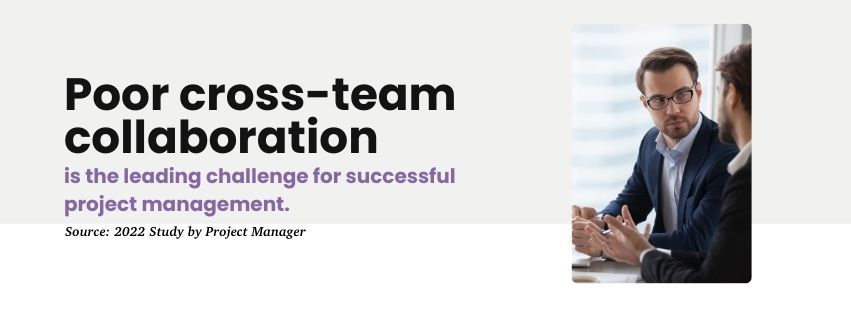
Poor cross-team collaboration is the leading challenge for successful project management.


Cross-Department Coordination That Actually Works


It’s not enough for team members to work well together. They also have to work with every other department in your company, which can be tough. In fact, a 2022 study by Project Manager found that the leading challenge for successful project management was poor cross-team collaboration. 


Fortunately, it can be done with a good dose of intention and structure:


  1. Schedule regular cross-functional syncs with clear agendas and action items. These shouldn't be status meetings but should, instead, focus on coordination and problem-solving.
  2. Create "translation guides" for cross-department communication. When engineering talks to marketing or operations talks to finance, having shared reference points prevents misalignment.


Of course, a common form of communication will keep teams within keystrokes of each other. SuiteX allows employees across your organization to comment on projects and discuss their work in real time, bridging the traditional gap between departments. You can learn more about these team collaboration features during your free feature tour.


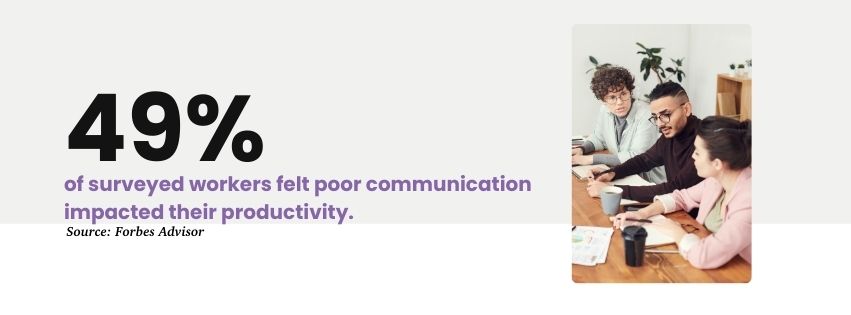
Graphic stating that 49% of surveyed workers felt poor communication impacted their productivity.


Communication Best Practices


According to a Forbes study, 49% of surveyed workers felt poor communication impacts their productivity. That means the success of your business operations may depend on whether your staff can effectively collaborate.


Successful communication starts with clear expectations. Establish a few basic habits within your teams:


  1. Create response time guidelines that vary by message urgency. For instance, critical issues might require a response within an hour, while routine updates can wait until the next business day.
  2. Set meeting protocols that respect everyone's time. This includes sharing agendas 24 hours in advance, documenting decisions within 24 hours after meetings, and having clear roles (facilitator, note-taker, timekeeper) for each session.
  3. Implement a "document as you go" culture where capturing decisions and their context becomes second nature. Every significant decision should include the what, why, and potential implications.
  4. Create living documents that evolve with your project. Instead of static files, maintain dynamic resources that team members can easily update and reference.
  5. Schedule regular retrospectives focused specifically on communication effectiveness. Questions might include: "What information do you wish you had received sooner?" and "Where do you see communication bottlenecks?"
  6. Establish peer coaching opportunities where team members can learn from each other's communication strengths.


Team Engagement Strategies


You must do more than establish basic discussion rules if you want to develop a work culture that fosters successful communication. You have to create an environment where everyone on a team feels heard.


Teams perform best when members feel safe taking risks and sharing ideas. The following steps can help put your employees at ease:


  1. Create "idea zones" in regular meetings where wild suggestions are welcomed and explored without immediate judgment. This could be the first 15 minutes of weekly team meetings, easily scheduled and tracked in your project management system.
  2. Normalize learning from mistakes by having leaders share their own learning experiences regularly. When the VP of Engineering talks about a mistake they made last week, it shows everyone that perfection isn't the goal—growth is.
  3. Create team rituals around significant milestones. This could be as simple as a virtual coffee break to celebrate a completed phase or as elaborate as quarterly team achievement awards.
  4. Establish skill-sharing opportunities where team members can teach each other. These "lunch and learn" sessions can be recorded and archived in your project management system for future reference.
  5. Develop personal growth roadmaps for each team member that align individual career goals with project needs.


Putting It All Together


The most successful teams don't implement all these practices at once. Instead, you can:


  1. Start with a team assessment to identify current strengths and gaps.
  2. Choose 2-3 practices to implement first.
  3. Get feedback after 30 days.
  4. Adjust and add new practices based on team needs.


While tools like SuiteX can streamline these practices, remember that the real magic happens when teams commit to open, honest communication and active engagement. The right tools simply make it easier to maintain these good habits consistently.


Accomplish New Goals with SuiteX


We know your company has too much at stake to waste time on simple miscommunications.


SuiteX is a NetSuite extension layer that expands the system’s capabilities in several ways, including team collaboration. It offers valuable tools like comments, notifications, and status updates to keep your team up-to-date on all projects and help them stay aligned with each other’s goals and progress.


Schedule a free SuiteX demo with our experts today to see how the software can keep your team aligned and focused on the tasks at hand. You’ll be amazed by what your staff can accomplish when everyone is on the same page. 


Disclosure: This article was developed with the assistance of Claude, an AI created by Anthropic. Our editorial team used Claude as a collaborative writing tool, carefully reviewing, editing, and fact-checking all AI-generated content. The final text has been thoroughly vetted to ensure accuracy, clarity, and alignment with SuiteDynamics' editorial standards. We take full responsibility for the content presented in this article, maintaining our commitment to providing reliable and informative insights to our readers.

July 9, 2026
A Manufacturing Execution System is the software that sits between your ERP and your shop floor. While ERP manages the plan (what to build, when, and for whom) an MES manages the execution: dispatching work orders to operators, capturing labor and machine time, enforcing quality checks, tracking materials lot by lot, and recording exactly what was built and how. The international standard that defines MES functionality is ISA-95 (also known as the MESA model). It breaks manufacturing execution into several core domains: Production execution: Work order dispatch, electronic work instructions, operator clock-on/off Data collection: Real-time machine and operator data, barcode/RFID scan, manual entry Quality management: In-process inspections, non-conformance, CAPA tracking Traceability & genealogy: Lot/serial tracking, as-built records, recall readiness Performance analysis: OEE, downtime reasons, scrap rates, throughput Labor & resource management: Skills, certifications, labor capture against orders If you're managing any of these today, even informally, you're doing MES work. The question is whether your tools are keeping up with your operation. Isn't that what work orders in NetSuite are for? Sort of. NetSuite's native work order functionality is excellent for planning and financial purposes. It creates demand, allocates inventory, and closes out costs against the job. But it wasn't built for what happens between the moment a work order opens and the moment it closes. On the shop floor, a work order involves multiple operation steps, multiple operators across multiple shifts, real-time material issues, setup time, run time, scrap, rework, and quality holds. NetSuite records the result. An MES manages the process. NetSuite tells you a work order is done. SuiteX MES tells you how it got done… step by step, operator by operator, part by part. Key capabilities include: Work order creation, synced in real time Step-by-step operation dispatch, full routing with sequencing Operator-level labor capture with live start/stop at each step Built-in, step-level electronic work instructions Real-time completion tracking by operation and quanitity Automated OEE & downtime tracking with reason codes Lot/serial traceability  What does an MES actually look like in practice? In SuiteX MES, an operator on the floor starts their shift and opens a work order dashboard, configured to show exactly the jobs assigned to their workcenter, segmented by status and due today. They tap into a job and see their operation steps in sequence. Each MES card shows the routing step, the expected setup time and run time, and the work instructions for that operation, including drawings, SOPs, reference documents, all accessible without leaving the screen. The operator hits start, works the job, and hits complete. Time is captured automatically and posted against the work order in NetSuite without end-of-day catch-ups or manual re-entry. As they step through operations, the system sequences them to the next step automatically. If a step is partially complete, it flags it. When the final operation closes, a full summary displays the total units completed at each step, total run and setup time, and any issues logged. The work order is closed in NetSuite with a single tap. Signs your operation is ready for an MES You don't need to be running 24/7 continuous production to benefit from an MES. You need it when your current approach to managing the shop floor is creating friction, errors, or blind spots that cost you. Here are the most common signs: Paper travelers or whiteboards are your primary method of tracking work order status Labor time is entered after the shift, from memory, or not at all You find out about quality issues after parts have already moved downstream A customer asks for lot traceability on a shipped order and it takes hours to reconstruct You're estimating OEE or scrap rates rather than measuring them Operators ask supervisors which job to run next rather than seeing a live queue What about manufacturers who aren't quite there yet? MES doesn't require a mature operation. In fact, implementing MES often is how an operation matures. If you're currently on paper or spreadsheets, going directly to a native-ERP MES like SuiteX is often faster and cheaper than first building out manual processes and then replacing them later. The right question is whether the cost of your current approach, in labor re-entry, quality escapes, lack of visibility, and integration overhead, is higher than the cost of fixing it. For most discrete manufacturers on NetSuite, it is. An MES is the operating layer you are missing An MES connects your ERP plan to the reality of your shop floor. If you're running on NetSuite, SuiteX MES is the only solution that lives inside your existing system rather than alongside it. Schedule a demo to see SuiteX MES in action and speak with our team.

A man and a woman are sitting at a table looking at a laptop computer.
By Quinn Johns April 24, 2025
Discover how ERP interface complexity affects productivity and costs. Learn how SuiteX enhances NetSuite usability, driving financial results and ROI.

A man is sitting at a desk using a laptop computer.
By Quinn Johns April 10, 2025
Uncover the true price of manual data entry. Explore how inefficiencies drain resources and hinder growth, making a strong case for automation in your operations.

A woman is sitting at a table talking on a cell phone while holding a piece of paper.
By Quinn Johns April 9, 2025
Stay ahead in the marketplace with real-time data integration. Read our guide on SuiteX iPaaS and learn how to optimize your business for success.

Man working on his computer in office
March 19, 2025
Specialized solutions are vital for any business in the software industry. Data siloes and inefficiencies, however, are not.

A man in a suit is using a tablet computer.
March 12, 2025
Discover how SuiteX simplifies change management in NetSuite, enabling rapid user adoption and effective communication to enhance workplace efficiency and satisfaction.

Workers on job site in yellow vests
March 11, 2025
The words "simple" and "manufacturing" almost never go together. Yet, SuiteX eases the complexity of NetSuite and daily operations so your team can work faster and better.

A group of people are sitting around a table having a meeting.
February 26, 2025
Discover the hidden costs of communication gaps in organizations. Learn how to enhance collaboration and reduce costly errors through effective communication tools.

A group of people are looking at a computer screen.
February 24, 2025
Explore the fundamentals of project hierarchies. Get best practices for task organization, managing dependencies in NetSuite, and maintaining project visibility.

Two coworkers collaborate in front of a laptop.
January 24, 2025
SuiteX launches a cutting-edge NetSuite extension platform that revolutionizes enterprise software interaction, boosting productivity and reducing costs for organizations.
Show More